Common Mistakes With DigiD and Dutch ID Systems for Renters in the Netherlands
Avoid four common mistakes with DigiD, BSN, identity documents and residence evidence during a Dutch rental application.
Short version
The most costly identity mistakes in a rental search are simple: sharing a DigiD login, treating a BSN as approval for a home, missing an activation deadline and confusing a physical ID document with online access. Each mistake joins facts that belong to different systems.
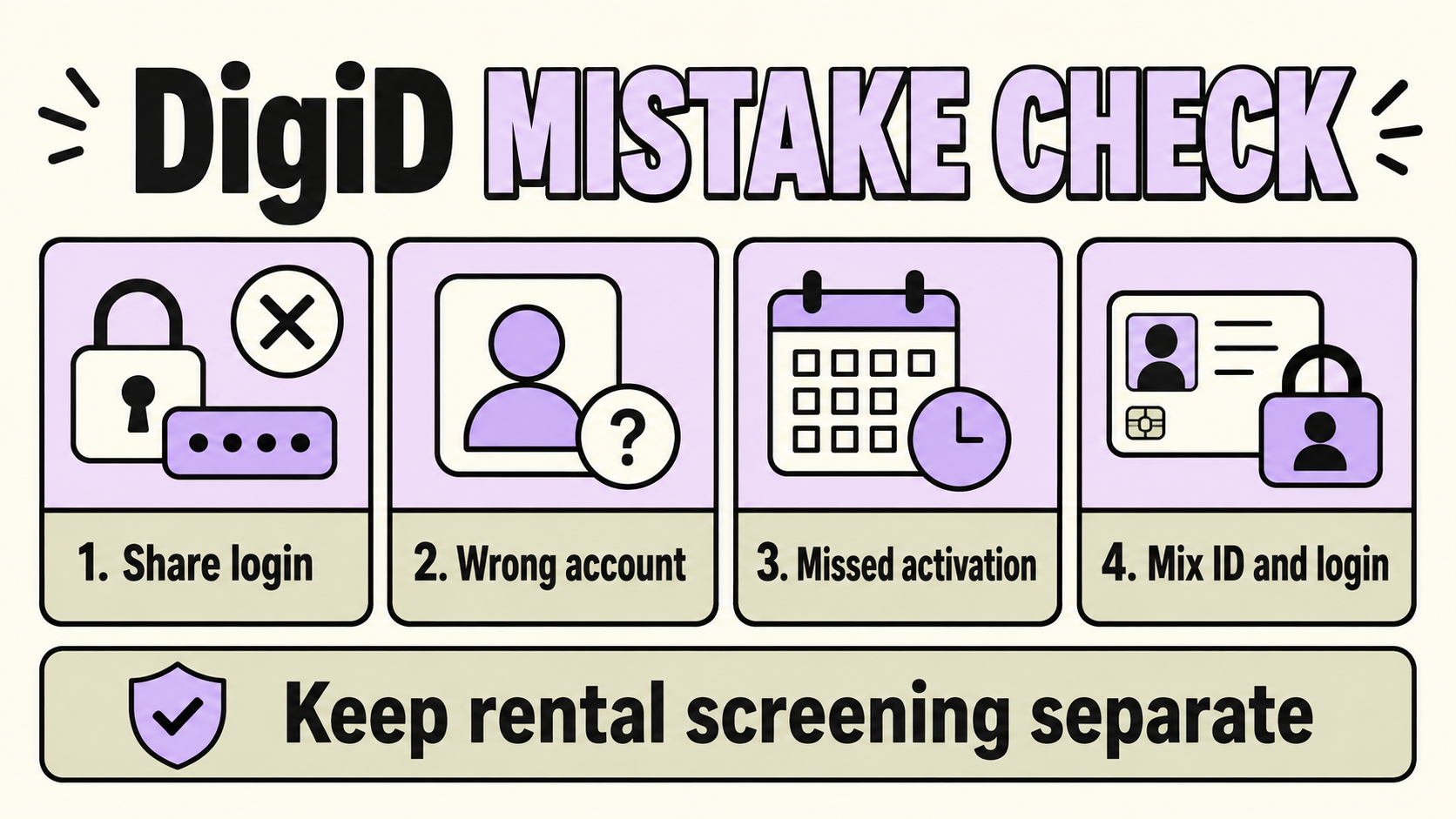
Give each term one job with the DigiD and Dutch ID distinction. Keep that separation in mind before you send an application file or respond to a request from a landlord or agent.
Mistake 1: sharing your DigiD login
DigiD credentials give access to authorised online services. They are personal. A private rental provider can ask for evidence connected to an application, while your username, password, PIN, SMS code and app approval stay under your control.
If another person needs to arrange a public-service task for you, the DigiD authorisation function is designed for that situation. It lets the helper use their own DigiD for the permission you grant. Sending a screenshot of your login or approving an unexpected request removes that boundary.
What to do instead
Ask the recipient to name the rental fact they need, such as identity, income, address or residence position. Supply evidence that answers that fact. Decline a request for DigiD credentials and keep a record of the wording.
Mistake 2: treating the BSN as rental approval
A BSN is a citizen service number used by public organisations. It can follow a relevant BRP or RNI registration. It does not show that a home is legitimate, that registration is possible at a private address or that a provider will accept the application.
When a rental advert says “BSN required” or “BSN available,” ask what the provider means. Is the question about payroll, municipal registration, a policy for applicants or a document check? The BRP and BSN definition keeps the administrative number separate from the housing decision.
Mistake 3: missing activation timing
The ordinary DigiD application uses a letter with an activation code. DigiD says the letter arrives within five working days in the usual flow, and its activation guidance says the code expires after 21 days. Those numbers describe DigiD’s process. They do not describe a rental provider’s response time.
Keep the letter safe, use the latest activation code and do not forward a photo of it to a landlord. If the letter goes to an old registered address, the address record needs attention before you rely on the account.
What if the code does not work?
Check whether the code is the activation code from the letter rather than an SMS or email code. If the window has passed, follow DigiD’s own reapplication instructions. A rental deadline does not make it safe to bypass the official process.
Mistake 4: mixing an ID document with a login
An identity document can help establish who you are. DigiD is a way to access an authorised online service. A residence document adds information about a residence position. A scan of one item cannot answer every question in a rental file.
The rental application document rules keep a document tied to the provider’s question. If the request says only “send ID,” ask which document is accepted, what must remain visible and how the copy will be handled. Never replace a vague request with your entire personal file.
A four-question pause before sending anything
Write down:
- What fact is the recipient trying to confirm?
- Which organisation has the authority to ask for it?
- What is the smallest document or value that answers the question?
- Does the request ask for a password, PIN, SMS code or app approval?
The fourth answer should stop the transfer. A contract review can add a separate check of the written terms, while the rental contract clauses answer rent, term, deposit, repairs and access questions.
Questions readers ask
Can a letting agent log in with my DigiD?
Keep your DigiD private. A letting agent can request rental evidence within the stated application process, while public-service access belongs to you.
Does a BSN prove that I can register at the address?
No. A BSN and address registration are connected through a municipal process. The number alone does not approve an address.
Should I send an activation letter to the landlord?
No. The letter is for activating your personal DigiD. It is not rental evidence.
Is a residence card the same as a DigiD?
No. A residence document carries residence information. DigiD provides online access for authorised services.
Next step
If a request combines DigiD access with identity or rental evidence, pause the application and ask the recipient to name the exact fact they need. For help interpreting the wording, contact us through the form without sending personal documents.
A rental application may need identity or residence evidence, while DigiD access remains personal. If a request joins your login with the housing file or leaves the requested fact unclear, send the wording through the contact form. Do not send passports, contracts, bank details or other personal documents.
Ask about a DigiD request →